
We're always looking for ways to improve your experience, and thanks to your feedback, we're excited to be launching one of our most requested enhancements this month.
Here's a quick look at what's coming!
Business Report Refresh & Business Report Version History
We're introducing enhancements to the Business Report functionality to give users greater control over the currency of their company information, while preserving a complete audit trail of previously retrieved reports.
These improvements have been made in response to customer feedback, providing access to the latest available business information without losing the historical data used to support previous investigations or decisions.
What's changing?
Refresh Business Reports
Users with the appropriate permissions will now be able to refresh an existing Business Report directly within the application.
Refreshing a report will retrieve the latest available company information and update the current Business Report. As part of the refresh, Business Sanctions checks will also be re-run to ensure the latest results are returned.
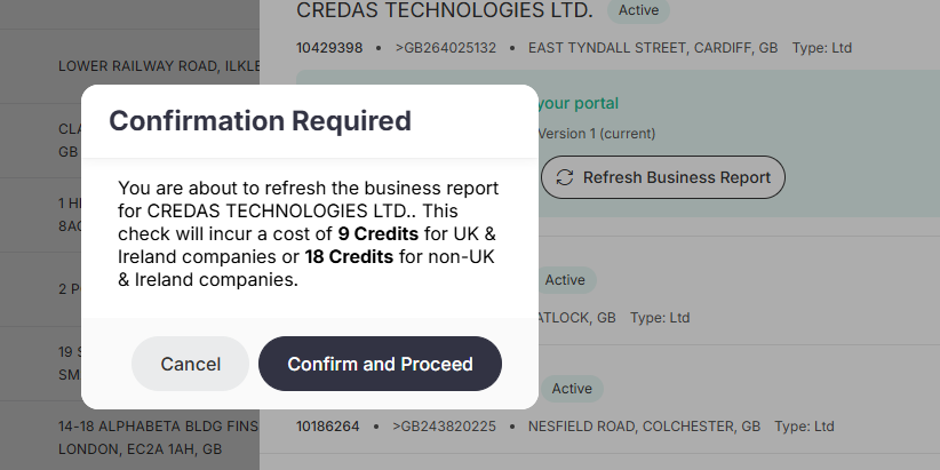
Please note that refreshing a Business Report will consume credits in the same way as retrieving a new report.
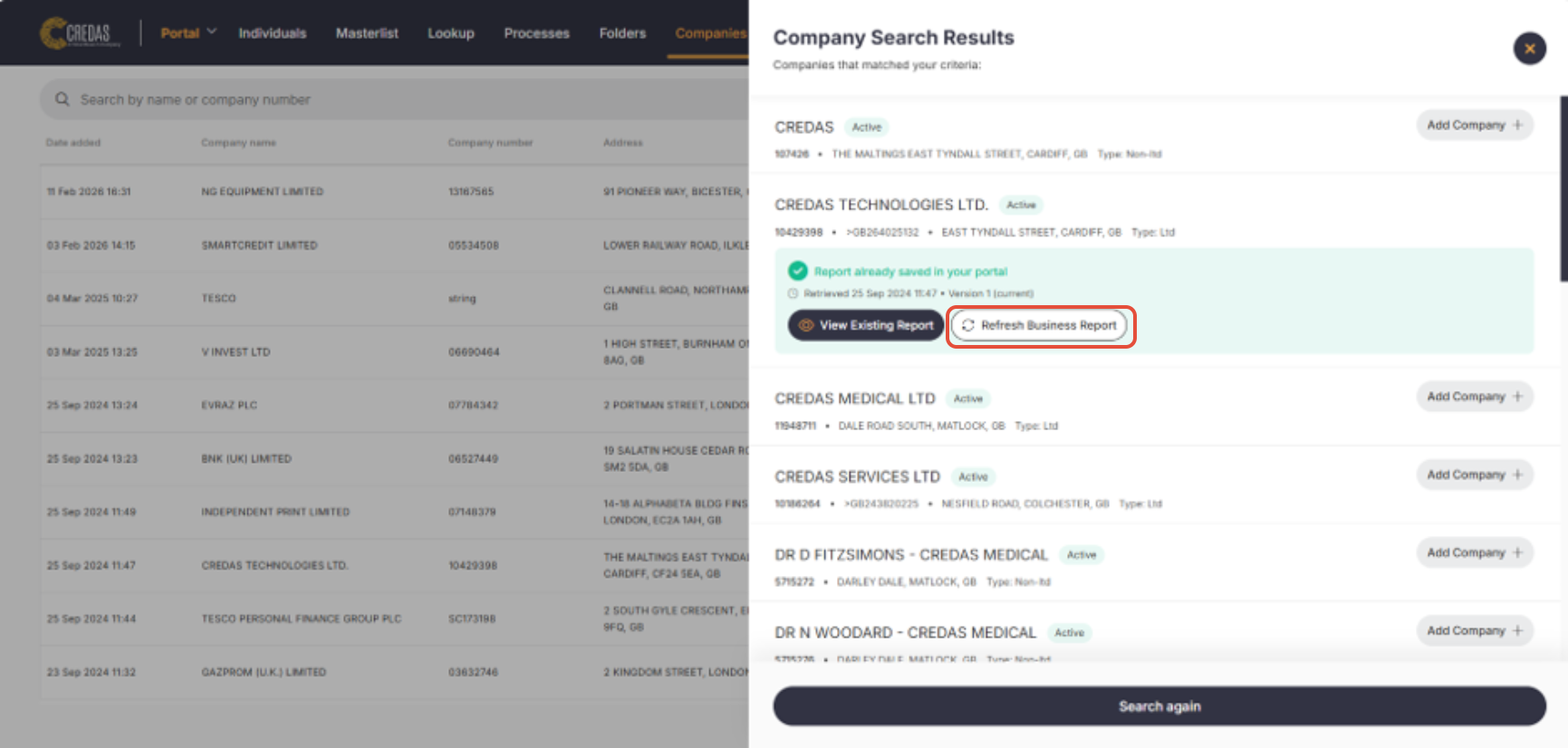
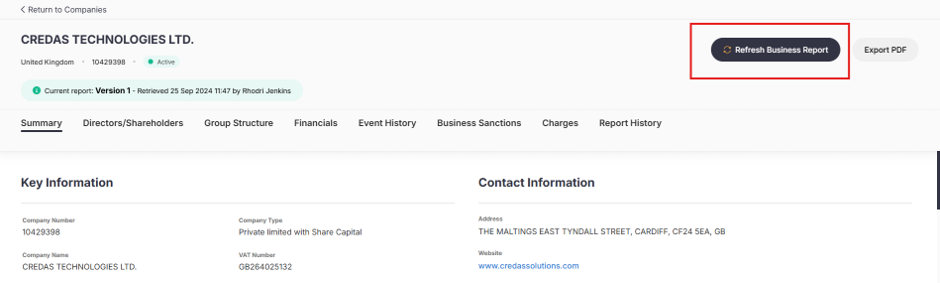
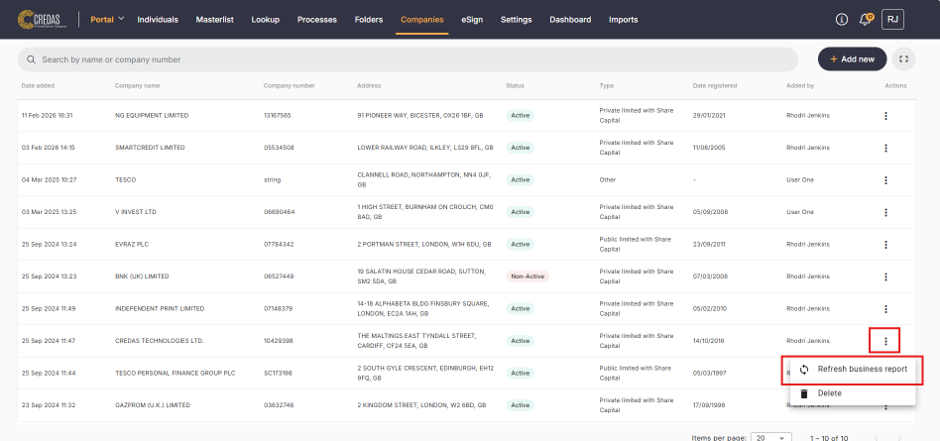
The Refresh option will be available from:
- Company search results (where an existing report is found)
- The Business Report page
- The Company Actions menu
-----------------------------------------------------------------------------------------------------------------------------------------------------
Historical Business Reports
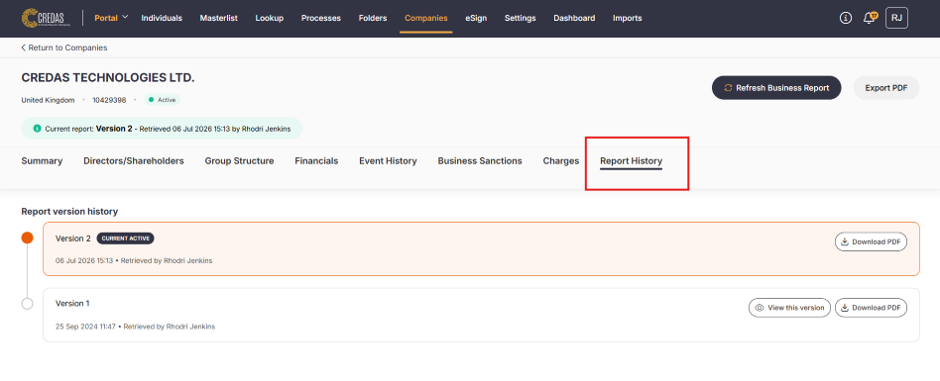
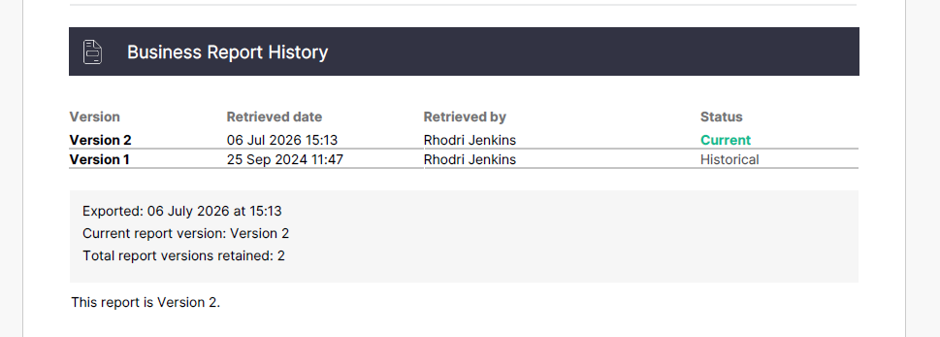
To provide greater transparency and maintain a complete audit trail, previous Business Reports will now be retained against the company record.
Users will be able to view historical reports, allowing them to:
- Review previously retrieved company information.
- Compare historical and current report data.
- Maintain an audit trail of the information used to support past investigations and decisions.
This ensures that while the latest company information is always available, previous reports remain accessible for compliance, auditing, and record-keeping purposes.
------------------------------------------------------------------------------------------------------------------------------------------
What else is new?
We’ve been working hard behind the scenes making a raft of platform enhancements, user experience improvements, API improvements and updates to our Native Apps on iOS & Android.
Platform Enhancements
Improved GPG45 profile visibility and introduced additional compliance enhancements.
New system banner notifications that we allow us to communicate key changes more effectively.
Added additional validation to avoid future dates being used for DOB.
Added persisting filters within the same user session making switching between individual profiles and the individuals list a lot easier.
User Experience Improvements
Delivered a new postcode lookup provider with improved validation and address handling.
Improved usability through better form validation, clearer error messaging, and enhanced user guidance.
Enhanced CSV and PDF exports with additional data and improved reliability.
Improved handling of locked users and strengthened session management.
Performance & Reliability
Improved platform performance for large client portals and super users.
Optimised notification loading and background processing.
Increased release reliability through platform and infrastructure improvements.
Enhanced system monitoring to proactively identify and resolve issues.
Delivered numerous fixes across exports, Open Banking, Land Registry, GBG integrations, and validation.
API updates
Enhanced API responses with additional data points and expanded integration capabilities.
Added manual webhook resend functionality and improved webhook reliability
Detailed IDV reports are now available through client API endpoints.
Improved reliability of webhook notifications by automatically retrying failed deliveries.
Native Apps (iOS & Android)
Accessibility Improvements
Continued accessibility improvements across both iOS and Android.
Enhanced screen reader support, navigation, colour contrast, icon visibility, and font scaling.
Ongoing work towards achieving higher accessibility standards.
Stability & Compatibility
Reduced application crashes through AI-assisted crash analysis and targeted fixes.
Improved stability around address lookup, inactivity handling, and application resilience.
User Experience Improvements
Improved postcode lookup validation and usability.
Enhanced manual address entry and error messaging.
Improved Source of Funds validation and Open Banking guidance.

Got any questions?
If you have any questions please reach out to the Credas support team by contacting us here
We are committed to continually improving our support resources for you. We would greatly appreciate your feedback on this article to help us enhance your experience.
Was this article helpful?
That’s Great!
Thank you for your feedback
Sorry! We couldn't be helpful
Thank you for your feedback
Feedback sent
We appreciate your effort and will try to fix the article